Share
A company overview video can introduce your business beautifully and still leave a prospective customer wondering how your service would work for them. That doesn’t necessarily mean the video needs a better script. It may mean you’re asking it to answer a question it wasn’t made to address.
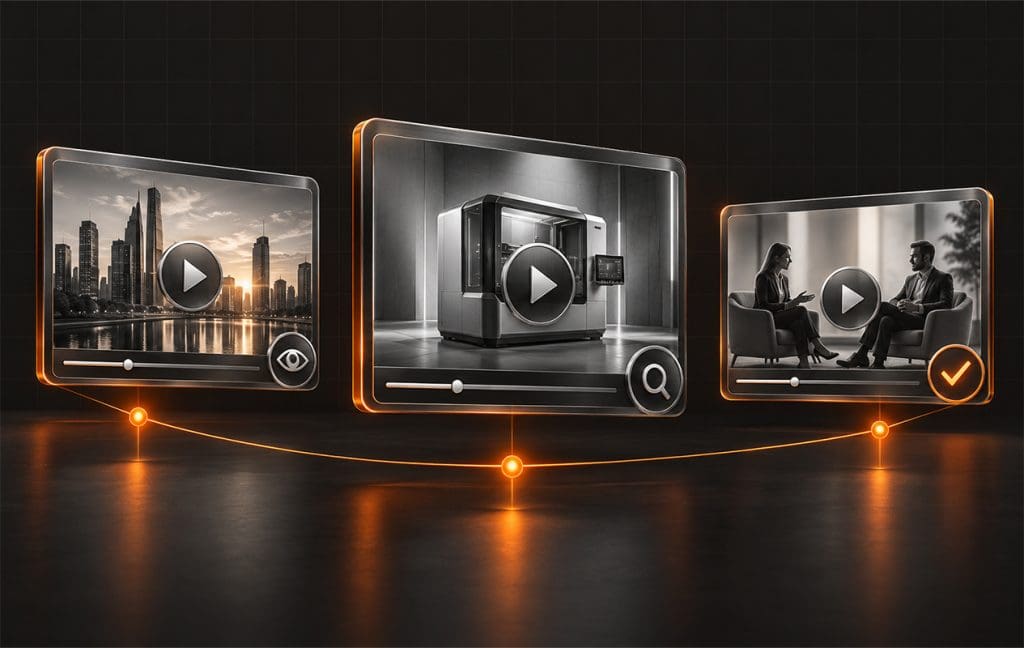
The strongest B2B video marketing starts with what buyers need to understand. Early on, they may need help making sense of a problem. Later, they’ll want to see how your pruduct works and why they should trust you to deliver. Each of those needs deserves a different kind of explanation.
You don’t have to produce an entire video library at once. Start by finding the question that keeps coming up in sales conversations, then choose a format that helps you answer it well.
Build your B2B video strategy around real buyer questions
Before discussing filming, talk to those people who speak with your prospects. Where do conversations get stuck? What takes too long to explain over email? Which questions come up even after someone has read your website?
Those answers give you a more useful starting point than a request to “make something engaging.” If buyers struggle to picture how your software fits into their workday, show a familiar task. If they worry about switching providers, explain what the transition involves.
Awareness, consideration and decision are useful stages for organizing those questions. Just remember that people within the same buying group may need different information. The department head who found you might understand your offering, while the finance director seeing your proposal for the first time needs the basics.
Write down who each video is for and what they should understand after watching it. That short description will help keep the script focused when everyone has something they’d like to add.
Awareness videos help people understand the problem
At the awareness stage, give people a useful explanation of something they’re experiencing. An expert interview, short educational video or simple explainer can help them recognize why a problem happens and what deserves a closer look.
Imagine a software company whose prospects spend hours compiling reports by hand. An introductory video could show where that work gets bogged down: copying information between systems, reconciling different versions and chasing missing updates. The point is to help viewers identify what’s slowing their own team down.
That creates a natural opening to explain the kind of problem your company solves. You can establish your relevance without walking through every product feature or asking for a meeting before someone knows what they need.
A company introduction can serve this purpose too. Give viewers enough context to recognize whether you work with businesses like theirs. A polished montage and a broad promise to “transform your business” won’t tell them much.
For the next step, offer something that builds on the topic, such as a related article or a fuller explanation. Make it easy for an interested viewer to keep learning.
Consideration videos show what the solution looks like in practice
Once buyers understand the problem, they need help evaluating possible answers. This is where demonstrations, process walkthroughs and more detailed educational videos become useful. Show enough of the work that someone can judge whether your approach fits their situation.
Product demonstrations should follow a familiar task
Take the reporting example a step further. A useful demo might show how a manager brings information together, checks an exception and shares the finished report. Explain what the system does automatically and where a person still needs to make a decision.
That gives the viewer something concrete to assess. A tour of every menu is harder to follow because the buyer has to work out which features matter to them.
Be clear about what makes the demonstration possible. If it depends on an integration or a particular setup, say so. Buyers need to understand what adopting the solution would involve.
Service walkthroughs make an unfamiliar process easier to assess
A service business can show how an engagement works, even when there’s no physical product to demonstrate. Walk through an initial assessment or explain how you develop a recommendation. Show an example of a deliverable when you have permission to share it.
Animation can help explain something that’s difficult to film, such as how information passes between systems. A webinar gives you more room when buyers need to weigh tradeoffs or ask questions. Choose the format that makes the explanation easiest to follow, then give it the time it needs.
Decision videos give buyers reasons to feel confident
A buyer can like your offering and still hesitate. They may be wondering whether implementation will disrupt their team or whether you’ve handled a challenge like theirs before. Videos at this stage should address those remaining concerns with specific information.
Customer stories work well when they explain what actually happened. Ask the customer what they needed to change, why they chose the approach and what working with your team was like. A thoughtful account of the experience gives a prospect more to consider than a string of compliments. Any results need to be supported and approved for use.
Sometimes the missing piece is a clear explanation of what happens after the contract is signed. A short video introducing the delivery team and outlining the first phase can help buyers picture the commitment. Include what you’ll need from them, especially if their staff will be involved in the work.
Make the video understandable to someone who hasn’t attended your sales meetings. Your contact may need to share it with a colleague who has questions of their own.
Plan where the video will go before you film
A video needs a place in your marketing plan. A brief social clip might introduce the subject, while the full explanation sits on a relevant website page. Sales could then send a more detailed walkthrough after a conversation about that same issue.
Planning those uses before production helps you capture the right material. If you want several short clips from an interview, prepare questions that invite focused answers. Don’t rely on cutting an extended discussion into pieces that make sense on their own.
This is part of effective video production and content planning: deciding what you need to communicate and how people will encounter it before the shoot begins.
Include accurate captions and check that text and screen recordings are readable on a phone. For a detailed video, provide a summary or transcript so people can review the information without replaying the whole thing.
Give the explanation enough time and measure what it accomplishes
There’s no single ideal length for every B2B video. A quick introduction and a technical walkthrough ask very different things of the viewer. Cut the repeated setup and company jargon, then see whether the remaining explanation holds together.
A useful editing check is to show the video to someone outside the project. Ask what they learned and what still feels unclear. Their answer may reveal a missing explanation that another round of internal reviews wouldn’t catch.
Judge performance against the video’s purpose. For an introduction, look at whether you’re reaching a relevant audience and whether viewers explore the subject further. For a demo, track inquiries alongside feedback from sales about the conversations that follow.
Viewing data can help you spot where people leave, but you’ll still need to examine why. A confusing section may need rewriting. A long opening may need cutting. Someone may also leave because they’ve found the answer they came for.
Use that feedback to decide what to improve and what to make next. A focused video that clears up a recurring buyer concern is a useful place to begin.
Let’s make the next video useful to your buyers
d2 Digital Designs brings marketing strategy, video production and digital execution together. We can help you decide what to make and how to use it across your marketing. Explore our new d2 website to see how we work, or email info@d2.design to talk through your next video project.
FAQ
Which B2B marketing video should we make first?
Choose the one that addresses your biggest current gap. If prospects can’t explain what you do, start with a clear introduction. If they understand your offering but hesitate over implementation, a walkthrough may be more useful.
Can one video work at more than one buying stage?
Yes. A customer story might introduce a problem to one viewer and reassure another who’s close to a decision. Use the stages to clarify what your content needs to explain without treating them as rigid rules.
Should we use animation or film real people?
Animation can make an abstract process visible. Filming can show a product in use or let viewers hear directly from an expert or customer. Some videos benefit from both. Decide what you need to show before choosing a production style.
Should we require a form before someone can watch?
Keep introductory content easy to access. Registration can make sense for a scheduled webinar or a substantial resource, but consider whether the value justifies the request. Track whether the form helps you connect with suitable prospects or discourages them from watching.
When should we update an existing video?
Review it whenever the product, process or claim it describes changes. Check older videos during content reviews too. A demo that shows an outdated interface can create confusion even if the underlying message is still relevant.